
Mastering Clean Architecture in Flutter: The Ultimate Production-Grade Guide (Part 4)
Enterprise Architecture • Performance • Scaling Teams • Best Practices • Interview Questions • Production Checklist Congratulations! If you’ve reached...
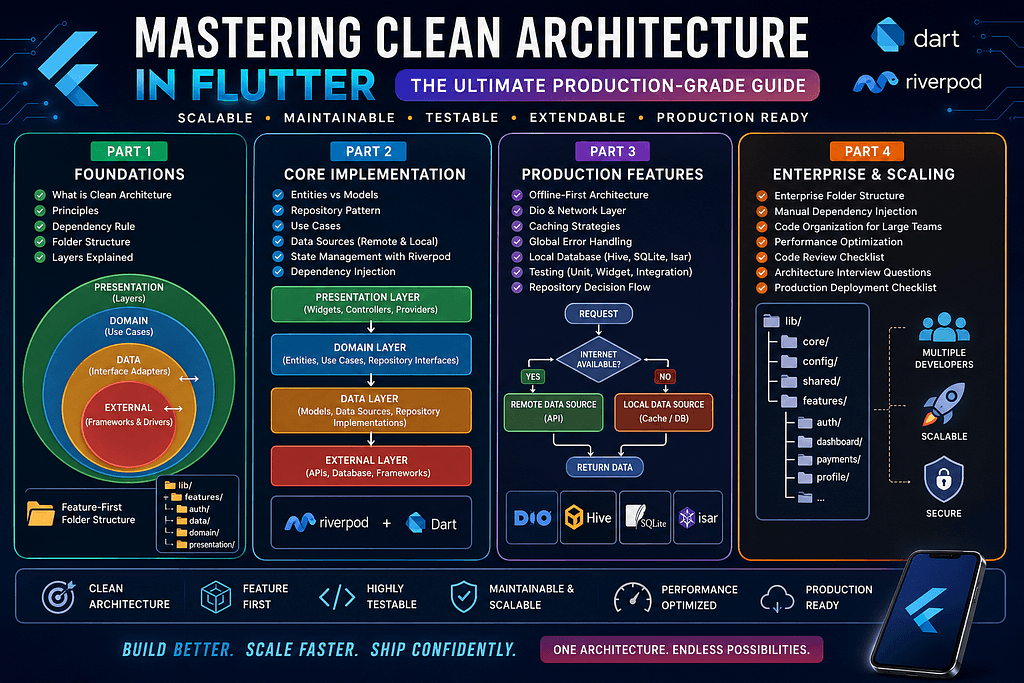
Enterprise Architecture • Performance • Scaling Teams • Best Practices • Interview Questions • Production Checklist Congratulations! If you’ve reached this point, you’ve already learned: ✅ Clean Architecture Fundamentals ✅ Dependency Rule ✅ Domain Layer ✅ Data Layer ✅ Presentation Layer ✅ Repository Pattern ✅ Use Cases ✅ Riverpod Integration ✅ Offline-First Architecture ✅ Error Handling ✅ Caching ✅ Testing In this final chapter, we’ll explore how enterprise Flutter applications are organized, maintained, and scaled over many years. Enterprise Flutter Architecture Building a Flutter application with 5 screens is easy. Building one with: 100+ Screens 60+ APIs 20 Developers 5 Feature Teams Multiple Clients Offline Support Push Notifications Analytics Payments CI/CD …is a completely different challenge. This is where architecture becomes your greatest asset. Enterprise Folder Structure A production-grade Flutter application typically follows a structure similar to this: lib/│├── core/│ ├── network/│ ├── constants/│ ├── services/│ ├── errors/│ ├── extensions/│ ├── utils/│ ├── logger/│ └── security/│├── config/│ ├── routes/│ ├── themes/│ ├── flavors/│ └── environment/│├── shared/│ ├── widgets/│ ├── dialogs/│ ├── components/│ └── helpers/│├── features/││ ├── authentication/│ ├── dashboard/│ ├── notifications/│ ├── profile/│ ├── payments/│ ├── settings/│ └── reports/│├── l10n/│└── main.dart Everything has a dedicated place. Nothing feels random. Inside Every Feature Every feature should follow exactly the same structure. authentication/ data/ domain/ presentation/ Consistency is one of the biggest strengths of Clean Architecture. A new developer should immediately know where to find: APIs Models Widgets Providers Use Cases without asking anyone. Scaling to Multiple Developers Imagine 15 developers working on one project. Without architecture: Merge conflicts Duplicate code Confusing folder structures Difficult code reviews With feature modules: Developer A ↓ Authentication Developer B ↓ Dashboard Developer C ↓ Payments Developer D ↓ Notifications Everyone works independently. Manual Dependency Injection Many Flutter developers immediately install: GetIt Injectable Kiwi These are excellent libraries. However, understanding manual dependency injection first is important. Dependency flow should look like this: API Client ↓ Remote Data Source ↓ Repository ↓ Use Case ↓ Controller ↓ Riverpod Provider ↓ UI Every object receives its dependencies through its constructor. This makes testing extremely simple. Why Constructor Injection? Constructor injection offers several advantages: ✔ Easy to test ✔ Explicit dependencies ✔ No hidden global state ✔ Better readability ✔ Easier debugging Keep Widgets Dumb One golden rule: Widgets should display data. Nothing more. Bad Widget: API Calls Business Logic Validation Database Queries Parsing JSON Good Widget: Display State Trigger Events Render UI Everything else belongs elsewhere. Keep Use Cases Small One Use Case should solve one business problem. Good examples: LoginUser RegisterUser FetchDashboard UpdateProfile UploadDocument Avoid “God Use Cases” that perform multiple unrelated actions. Performance Optimization Architecture is not only about maintainability. It also improves performance. Some practical recommendations: Use const Widgets Flutter avoids rebuilding immutable widgets. Split Large Widgets Instead of one 2,000-line screen: Home ↓ Header ↓ Banner ↓ Category List ↓ Product Grid ↓ Bottom Sheet Smaller widgets rebuild independently. Lazy Loading Load data only when needed. Examples: Infinite scrolling Image loading Product catalog Chat history Pagination Never load everything at once. Instead: 20 Records ↓ Scroll ↓ 20 More This improves memory usage and API performance. Cache Frequently Used Data Examples: User Profile Settings Dashboard Product Categories Reduce unnecessary API calls whenever possible. Security Best Practices Enterprise applications should also consider security. Avoid: ❌ Hardcoded API Keys ❌ Secrets inside Flutter ❌ Business Logic in UI ❌ Plain-text Tokens Instead: ✔ Secure Storage ✔ HTTPS ✔ Certificate Pinning (when appropriate) ✔ Token Refresh ✔ Backend Validation Code Review Checklist Before merging any feature, ask: Is business logic inside Use Cases? Are repositories only responsible for data access? Does the UI remain lightweight? Is the feature testable? Are dependencies pointing inward? Is error handling consistent? Are models separated from entities? Is code duplication minimized? Are naming conventions consistent? Are unnecessary rebuilds avoided? A simple checklist like this can prevent many long-term issues. Common Anti-Patterns Avoid these architectural mistakes: Massive Widgets 2,000-line widgets are difficult to maintain. Massive Controllers Controllers should coordinate — not own all business logic. Calling APIs Directly from Widgets Always go through: Widget ↓ Controlle
Related Articles
Mastering Clean Architecture in Flutter: The Ultimate Production-Grade Guide (Part 3)
Offline-First • Network Layer • Dio • Error Handling • Caching • Testing • Production Best Practices In Part 1, we explored the fundamentals of Clean ...
Mastering Clean Architecture in Flutter: The Ultimate Production-Grade Guide (Part 2)
In the first part of this guide, we explored the philosophy behind Clean Architecture, the Dependency Rule, the three core layers, and a production-re...