
Optimizing Flutter Web Performance: Caching, Lazy Loading & Faster Bundle Sizes
Category: Flutter Web • Performance • OptimizationReading Time: 10–12 Minutes Introduction Flutter Web has matured significantly over the past few yea...
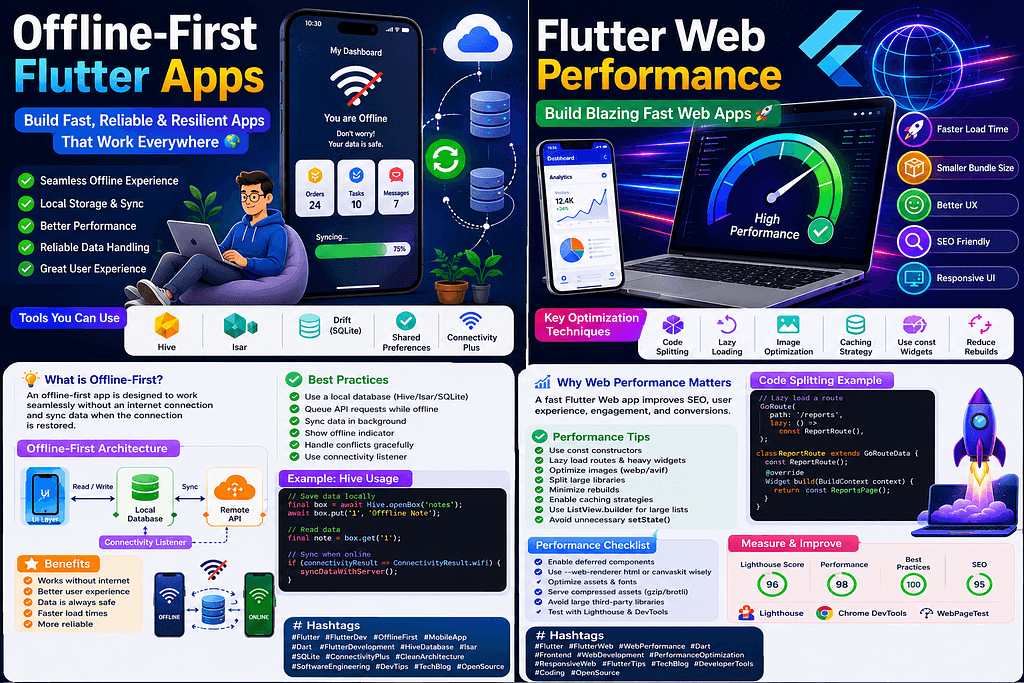
Category: Flutter Web • Performance • OptimizationReading Time: 10–12 Minutes Introduction Flutter Web has matured significantly over the past few years, making it an excellent choice for building high-performance Progressive Web Apps (PWAs), dashboards, admin panels, SaaS platforms, and business applications. However, many Flutter Web applications suffer from slow loading times, large JavaScript bundles, and poor Core Web Vitals because they aren’t optimized properly. In this guide, we’ll explore practical techniques to dramatically improve Flutter Web performance and deliver a faster user experience. Why Flutter Web Performance Matters Website speed directly affects: User engagement Bounce rate SEO rankings Conversion rates Accessibility Overall user satisfaction Even a one-second improvement in page load time can significantly increase user retention. Common Performance Problems Typical Flutter Web applications encounter issues such as: Large initial bundles Slow first paint Excessive widget rebuilds Large image assets Un-optimized fonts Heavy third-party packages Blocking API calls Fortunately, most of these problems can be resolved with proper optimization. Optimize Bundle Size Keep your application lightweight. Recommendations: Remove unused packages. Avoid importing unnecessary libraries. Split large features. Tree-shake icons. Compress assets. Smaller bundles load faster and improve startup performance. Implement Lazy Loading Instead of loading every feature at startup, load screens only when users need them. Benefits: Faster startup Reduced memory usage Smaller JavaScript bundle Better scalability Lazy loading is especially useful for enterprise applications with many modules. Cache Everything Possible Effective caching dramatically improves performance. Cache: Images Fonts API responses Static assets JavaScript files Use Service Workers to provide offline support and efficient asset management. Optimize Images Large images significantly increase loading times. Best practices: Use WebP or AVIF formats. Compress images before deployment. Serve responsive image sizes. Enable browser caching. Reduce Widget Rebuilds Frequent rebuilds can negatively impact rendering performance. Recommendations: Use const constructors. Split large widgets. Use selectors. Avoid rebuilding entire screens. Manage state efficiently with Riverpod. Improve Network Performance Network optimization includes: HTTP caching Compression (Gzip/Brotli) CDN usage Pagination Lazy API fetching These improvements reduce bandwidth consumption and improve perceived speed. Measure Performance Useful tools include: Lighthouse Chrome DevTools Flutter DevTools WebPageTest Performance Overlay Always profile your application before and after optimization to measure improvements. Production Checklist Before deploying your Flutter Web application: ✔ Enable release mode ✔ Optimize images ✔ Compress assets ✔ Enable HTTP caching ✔ Lazy load features ✔ Remove unused dependencies ✔ Use const widgets ✔ Optimize fonts ✔ Test Lighthouse scores ✔ Monitor Core Web Vitals Conclusion Performance optimization is an ongoing process rather than a one-time task. By reducing bundle sizes, implementing lazy loading, caching assets effectively, and minimizing unnecessary rebuilds, Flutter Web applications can deliver an experience comparable to modern native web frameworks. The fastest application is not necessarily the one with the most powerful server — it’s the one that efficiently uses every byte, every network request, and every rendering cycle. Investing in performance today leads to happier users, better SEO, improved engagement, and a more successful product. Key Takeaways Reduce bundle sizes. Implement lazy loading. Cache assets aggressively. Optimize images. Minimize widget rebuilds. Measure using Lighthouse. Continuously profile performance. Prioritize user experience. Hashtags #Flutter #FlutterWeb #FlutterDev #WebPerformance #PerformanceOptimization #FlutterTips #LazyLoading #Caching #SEO #PWA #FlutterCommunity #Dart #DeveloperTools #SoftwareEngineering #Frontend #AppDevelopment #TechBlog #CoreWebVitals #ChromeDevTools #OpenSource
Related Articles
Mastering Clean Architecture in Flutter: The Ultimate Production-Grade Guide (Part 4)
Enterprise Architecture • Performance • Scaling Teams • Best Practices • Interview Questions • Production Checklist Congratulations! If you’ve reached...
Mastering Clean Architecture in Flutter: The Ultimate Production-Grade Guide (Part 3)
Offline-First • Network Layer • Dio • Error Handling • Caching • Testing • Production Best Practices In Part 1, we explored the fundamentals of Clean ...