
Offline-First Flutter Apps: Build Fast, Reliable & Resilient Mobile Applications
Category: Flutter • Mobile Development • ArchitectureReading Time: 10–12 Minutes Introduction Modern mobile applications are expected to work seamless...
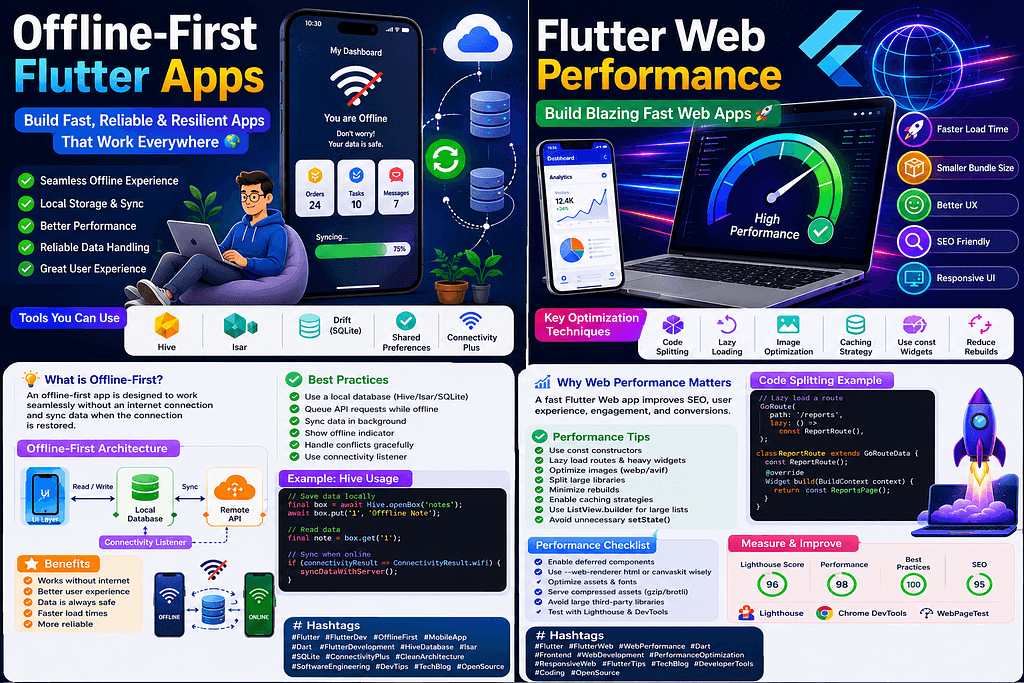
Category: Flutter • Mobile Development • ArchitectureReading Time: 10–12 Minutes Introduction Modern mobile applications are expected to work seamlessly, even when the internet connection is slow or completely unavailable. Whether users are traveling, working in remote areas, or simply experiencing network interruptions, they expect their apps to remain responsive and reliable. This is where the Offline-First Architecture becomes essential. Instead of relying entirely on remote APIs, Offline-First applications prioritize local storage and synchronize data with the server whenever connectivity becomes available. The result is a faster, more reliable, and significantly better user experience. In this article, we’ll explore how to build production-ready Offline-First Flutter applications using modern Flutter architecture, Hive, SQLite, Riverpod, and intelligent synchronization strategies. What is an Offline-First App? An Offline-First application is designed so that users can continue interacting with the app even without an internet connection. Instead of displaying loading indicators or “No Internet Connection” messages, the application stores data locally and synchronizes changes in the background once connectivity is restored. Examples include: WhatsApp Google Keep Google Maps Spotify Notion Gmail These applications continue functioning because local storage is considered the primary source of truth. Benefits of Offline-First Architecture Implementing Offline-First architecture provides several advantages: ✅ Better User Experience Users can continue working without interruptions. ✅ Faster Performance Local databases respond significantly faster than remote APIs. ✅ Improved Reliability Temporary network failures no longer break application functionality. ✅ Reduced API Requests Frequently accessed data is served from local storage. ✅ Higher User Retention Applications that work offline are generally rated more positively by users. Recommended Flutter Tech Stack For production-ready applications, consider the following stack: Flutter Riverpod Dio Hive SQLite (Drift) SharedPreferences Connectivity Plus Flutter Secure Storage Each tool has a specific role in creating a reliable offline experience. Choosing Between Hive and SQLite Hive Best for: User settings Cached API responses Small datasets Fast key-value storage Advantages: Extremely fast Lightweight No SQL queries Easy integration SQLite (Drift) Best for: Large datasets Complex filtering Relationships Reporting Financial applications Advantages: Structured database SQL support Complex joins Better scalability Offline Data Flow A robust Offline-First application generally follows this flow: User Action ↓ Local Database ↓ UI Updates Immediately ↓ Background Synchronization ↓ Remote API ↓ Conflict Resolution This ensures the application always feels responsive. Background Synchronization Synchronization should occur: When internet becomes available During app startup Periodically After successful login Background sync helps maintain consistency between local storage and the server. Handling Conflicts Sometimes data changes both locally and remotely. Common strategies include: Last Write Wins Timestamp Comparison Manual Conflict Resolution Version Numbers Merge Strategy Choose the strategy based on your application’s business requirements. Best Practices Cache API responses. Store pending requests. Queue failed operations. Retry synchronization intelligently. Show offline indicators. Never block the UI while syncing. Encrypt sensitive local data. Use repositories for data abstraction. Performance Tips Use indexes in SQLite. Batch database operations. Avoid unnecessary API calls. Compress JSON responses. Cache frequently used assets. Conclusion Offline-First architecture transforms Flutter applications into resilient, high-performance mobile experiences. By prioritizing local storage and intelligently synchronizing with remote servers, developers can build apps that remain useful regardless of network conditions. Whether you’re building an e-commerce platform, task manager, healthcare solution, logistics application, or fintech product, Offline-First architecture should be considered a core design principle rather than an optional enhancement. Key Takeaways Local storage should be the primary data source. Synchronization should happen automatically. Hive is excellent for lightweight storage. SQLite is ideal for relational data. Riverpod simplifies state management. Users should never lose data because of poor connectivity. Offline capability significantly improves user satisfaction. FAQs Q: Is Hive enough for enterprise apps? Hive works well for caching and lightweight storage. For complex relationships and reporting, SQLite or Drift is generally a better choice. Q: Can I use Firebase with Offline-First architecture? Yes. Firestore provides built-in offline persistence, making it an excellent choice for many Flutter applications. Q: Does O
Related Articles
Mastering Clean Architecture in Flutter: The Ultimate Production-Grade Guide (Part 4)
Enterprise Architecture • Performance • Scaling Teams • Best Practices • Interview Questions • Production Checklist Congratulations! If you’ve reached...
Mastering Clean Architecture in Flutter: The Ultimate Production-Grade Guide (Part 3)
Offline-First • Network Layer • Dio • Error Handling • Caching • Testing • Production Best Practices In Part 1, we explored the fundamentals of Clean ...