
Build a Flutter Project Analyser in Python: Measure LOC, Widgets, Screens & More
Category: Flutter • Python • Developer ToolsReading Time: 8–10 minutesDifficulty: Intermediate Flutter AnlayzerIntroduction As Flutter applications gr...
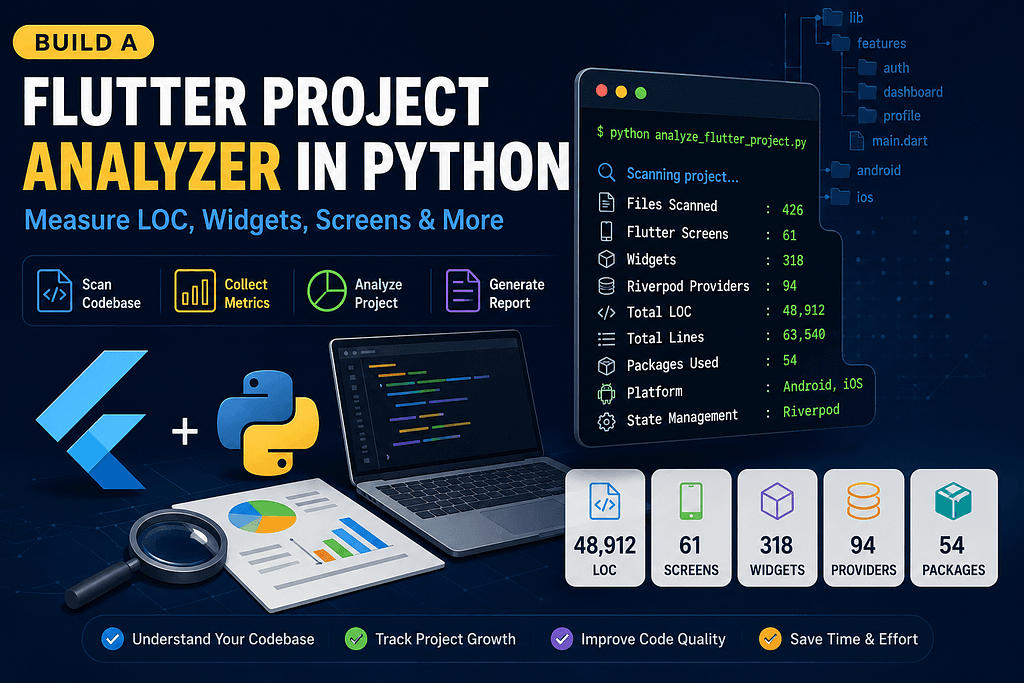
Category: Flutter • Python • Developer ToolsReading Time: 8–10 minutesDifficulty: Intermediate Flutter AnlayzerIntroduction As Flutter applications grow, understanding the size, complexity, and overall health of the project becomes increasingly important. Questions like: How many screens does my application have? How many widgets have I created? How large is my codebase? Which packages am I using? Is the project using Riverpod? Which platforms are supported? are surprisingly difficult to answer manually. Instead of opening dozens of folders and counting files yourself, you can automate the entire process using a simple Python script. In this article, we’ll build a lightweight Flutter Project Analyzer capable of scanning an entire Flutter project and generating useful development metrics in just a few seconds. Why Build a Project Analyzer? Large Flutter projects often contain hundreds of files spread across multiple features and modules. As projects evolve, developers and team leads need visibility into the overall structure. A project analyzer helps answer important questions such as: How big is the project? Is the architecture growing as expected? Which state management solution is being used? How many Flutter screens exist? How many custom widgets have been created? Which third-party packages are included? These insights are especially useful for: Project documentation Technical audits Code reviews Team onboarding Client reports Migration planning Features of the Analyzer The Python script automatically scans the project and reports: Total source files Total lines of code Effective Lines of Code (LOC) Flutter screens Custom widgets Riverpod providers Supported platforms Installed packages File-by-file LOC report Everything is generated automatically without modifying your Flutter project. Supported File Types The analyzer scans multiple programming and configuration files, including: Dart Java Kotlin Swift Objective-C XML Gradle Kotlin DSL YAML JSON Properties Info.plist This ensures that nearly every important part of a Flutter application is included in the analysis. Ignoring Unnecessary Directories Scanning generated folders significantly slows down analysis and inflates metrics. To avoid this, the script skips directories such as: build/ .git/ .dart_tool/ Pods/ .gradle/ .idea/ .fvm/ .symlinks/ Ignoring these folders results in faster execution and more accurate statistics. Counting Effective Lines of Code (LOC) Simply counting total lines isn’t enough. Blank lines and comments don’t contribute to the actual implementation. The analyzer removes: Empty lines Single-line comments Multi-line comments before calculating Effective Lines of Code (LOC). This provides a much more realistic representation of project size. For example: Total Lines: 18,420 Effective LOC: 12,865 The second number is far more meaningful when estimating project complexity. Detecting Flutter Screens Instead of relying on filenames, the analyzer searches for common Flutter UI widgets such as: Scaffold CupertinoPageScaffold MaterialApp CupertinoApp Every file containing these widgets is considered a screen. This heuristic works well for most Flutter applications and requires no additional configuration. Counting Custom Widgets The analyzer identifies custom widgets by searching for classes extending: StatelessWidget StatefulWidget ConsumerWidget ConsumerStatefulWidget This provides a quick overview of how modular the UI is. A higher widget count generally indicates better component reuse and cleaner UI organization. Detecting Riverpod Providers Modern Flutter applications often use Riverpod for dependency injection and state management. The analyzer searches for provider declarations such as: Provider StateProvider FutureProvider StreamProvider NotifierProvider AsyncNotifierProvider StateNotifierProvider ChangeNotifierProvider If providers are found, the script automatically identifies Riverpod as the project’s state management solution. Platform Detection Rather than relying on configuration files, the analyzer simply checks whether the project contains: android/ ios/ Based on these folders, it reports whether the application targets Android, iOS, or both platforms. Package Analysis The analyzer also parses the pubspec.yaml file and extracts all dependencies listed under the dependencies: section. This produces a clean inventory of packages used throughout the project, making it useful for: Dependency audits Security reviews Documentation Upgrade planning Example Output After scanning the project, the analyzer prints a detailed report similar to this: Project Type : FlutterPlatform : BothState Management : Riverpod Files Scanned : 426Flutter Screens : 61Widgets : 318Riverpod Providers: 94 Total LOC : 48,912Total Lines : 63,540 Packages Used : 54 It also prints a file-by-file breakdown showing the number of effective lines of code in every source file. Benefits fo
Related Articles
Mastering Clean Architecture in Flutter: The Ultimate Production-Grade Guide (Part 4)
Enterprise Architecture • Performance • Scaling Teams • Best Practices • Interview Questions • Production Checklist Congratulations! If you’ve reached...
Mastering Clean Architecture in Flutter: The Ultimate Production-Grade Guide (Part 3)
Offline-First • Network Layer • Dio • Error Handling • Caching • Testing • Production Best Practices In Part 1, we explored the fundamentals of Clean ...